Posts

Flutter democratizes UI development and grows the UI developer pool

Image
Google's open-source Flutter is a multi-platform UI tool that can bring more people into professional UI development.  In other words, Flutter democratizes user interface construction, taking it out of the hands of a few platform-specific specialists. It lets one person implement business functions across web applications, iOS native, and Android native. This reduces specialization and the amount of skew between the different platform implementations. Platform specialization may still be required.  We still need experts.   We just need fewer of them when building our applications. Flutter is a User Interface toolset that lets software developers create mobile and web applications without requiring that they be user interface specialists. Flutter isn't a tool built on top of another tool built on top of some weird 1990s library. It was created to build applications with mobile, web, and desktop portability in mind.  Less living on an island UI development in gene...
An argument for public or opensource contributions as part of a personal portolio

Image
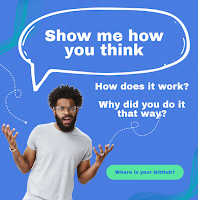
We expect artists to bring previous work, architects to bring previous designs, and writers to bring previous articles. Why are programmers any different? Opensource contributions or personal repositories are pieces of that person's portfolio. They give a feel for your interests, how you think, problem solve and, what you think is important. "Walk me through why you put this together this way". "I only had a little time and the primary thing I needed was XYZ". A person's contributions and comments give a feel for the person in a way a synthetic 45-minute crush programming test in an unfamiliar environment by itself does not. Using Open Source Contributions as a Technical Portfolio on YouTube If your company doesn't give you 20% time, how do you expect to get out of the narrow niche your company has you working in? How do you expect to enhance your technical radar without external exploration and discovery? Self Improvement pays off in multiple ways So...

Why are there 4 different windows backup tools?

Image
I do not understand how any mere mortal has any idea what data protection backup tool to pick or how to balance the risks. The Windows backup/data protection story is a sorry mess. Windows 11 and 10 have at least 4 different ways to protect or backup your files. Who thought this was a good idea? Why isn't there a Microsoft-provided capabilities matrix? I understand that these are legacy but someone should have at least pulled this stuff together and put a pretty cover page on it. Some of these are traditional backup tools.  Others are network drives or network drive mirrors where files in the mirror are deleted when you delete the file locally.  This can leave you one action away from losing data depending on how the trash folder operates. A backup is an off-drive copy of your data that can be recovered when your hard drive goes bad, a machine is damaged/stolen or you accidentally delete a file.  Backups are usually saved on network shares, cloud drives, or removable medi...

Resetting and using Philips Hue bulbs with the Amazon Echo or hub

Image
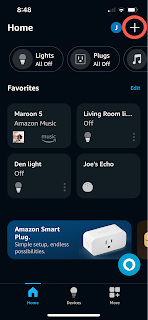
The Amazon Alex app is a unifying console for IOT and other experiences.   I recently struggled trying to reset some legacy Zigbee devices that were paired with controllers I no longer had. It turns out I can use that app to reset my bulbs even though: It isn't obvious how you reset devices. The failure connect screen doesn't offer reset as an option. The program doesn't list my Amazon Echo as being able to do that on the screen where it describes resetting the devices. Backstory I received a pair of white Philips Hue A19 bulbs as part of an Amazon promotion.  Later I sold my Echo and got a new Amazon Echo with the built-in hub.  Newer Hue lighting supports both Zigbee and Bluetooth while older devices are controllable over Zigbee networks.  Never have I ever owned a Philips Hue hub. The bulbs must be reset to factory settings to onboard them to a new hub. In my case, my 4th gen Amazon Echo. The older bulbs can't be reset over Bluetooth. I couldn't get the rapid...

Did anyone dogfood this experience? A bog standard gate experience gone bad.

Image
I had a consulting job at a company that got new gates.  The new gates have a different experience between doors and based on whether you are going in or out. Between 1000 and 4000 people use the gates per day. A back-of-the-napkin analysis says this interface costs the company $300/day or over $80,000 per year plus any frustration. They often pause at this gate system to deal with the interface inconsistencies.  3000 people * 5 seconds / 3600 sec/hr * $80/hour fully loaded * 5 d/w * 50 w/y The gate system as a use case They bought a combined entry/exit system. Looks good from here. Here is a different set of gates by the same vendor in the same building.  I was going to say that these were on the way out but this picture is also on the way in. Bi-directional gate control - flow optimization The gates support traffic in both directions.  Each turnstile has two card readers, one for each direction through the gate. The card reader is "right-handed" on entry and "left-...

Using OpenTelemetry to send Python metrics and traces to Azure Monitor and App Insights

Image
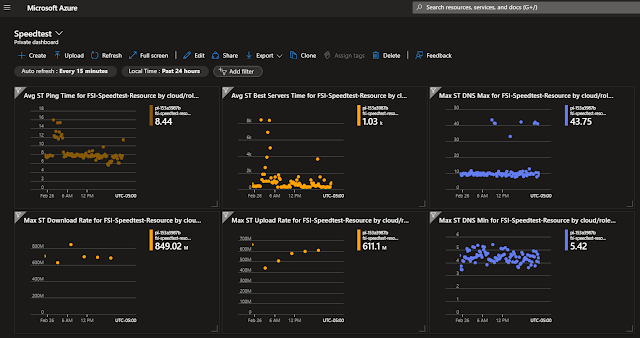
Microsoft has updated its Python libraries that let us send 3rd party library invocation metrics and traces and application-specific custom metrics and traces to Application Insights.  Their OpenTelemetry Exporters make it simple to route the standard Python OpenTelemetry library observations to Application Insights. You bootstrap the Azure config and credentials and then use standard OT calls to capture metrics and trace information. SpeedTest network Metrics in Azure using OpenTelmetry A couple of years ago I wrote a program to record the health of my home internet connection and store that information in Azure Application Insights. I did this with a Python program that leveraged Microsoft's OpenCensus Azure exporter.  That library is becoming obsolete with the move from OpenCensus to OpenTelemetry.   That project has now been ported to Open Telemetry!  It involved 6 hours and 40 lines of code that was preceded by 20 hours of whining and internet surfing. The ...

T-shirt sizing - Estimating workload and capacity without false precision

Image
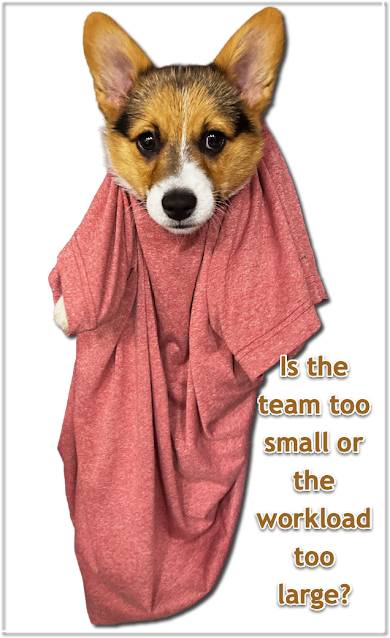
T-shirt sizing is a great way of estimating the relative size or level of effort of a set of tasks. Effort and cost discussions are significantly easier when decoupled from hours and dollars. It lets people focus on the problem definition and possible approaches without getting hung up on absolute values. Size some work items relative to each other. "This one feels maybe twice the size of this other one".  Bin the sorted items in arbitrary groups (T-Shirt sizes) Small, Medium, Large, etc. based on the amount of work or complexity.   New items are sized the same way when they are first introduced. They are compared to the existing backlog and slotted into the buckets. This process gives you a feel for work and relative complexity without resorting to false precision for specific days and hours. Velocity and Capacity can be extrapolated later after tasks of various sizes are completed. Start with relative sizing and then iterate closer to absolute sizing as you know more. P...

NVIDIA Broadcast - Eye Contact - No more looking down in videos

Image
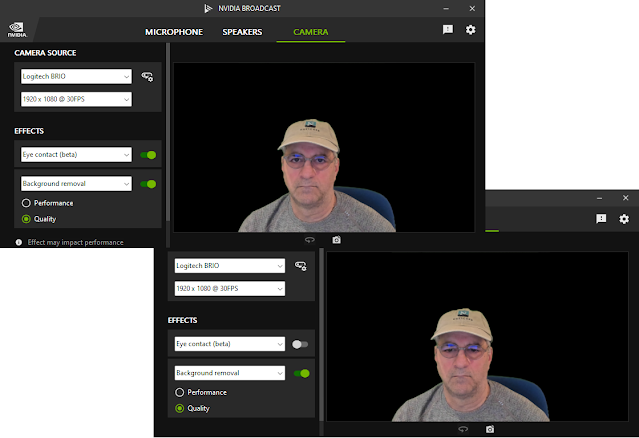
NVIDIA added a new beta feature to NVIDIA Broadcast that manipulates the speaker's eye position to make it appear as if they are looking at the camera instead of the prompt or contact.  It isn't perfect but it really helps.  You can see the effect in the two pictures below. This has been around for a while but I never noticed. NVIDIA added support in January 2023.  Camtasia added support for NVIDIA Broadcast in Camtasia 2022 update 2 or 3. Virtual Camera works with other programs like Camtasia The NVIDIA broadcast acts as a virtual camera that can be used in programs like Camtasia 2022.  You'll want the latest version of Camtasia NVIDIA design and performance information https://developer.nvidia.com/blog/improve-human-connection-in-video-conferences-with-nvidia-maxine-eye-contact/ Revision History Created 2024/02 Correcte NVIDIA captialization 2025/08