Posts

Showing posts with the label Android

Flutter messaging classes and their native platform peers

Image
Communication between Flutter modules and Mobile Native code happens over platform channels.  The docs are all over the place so I created this cheat sheet for the different channel types and their class documentation. YouTube walkthrough video Mobile Native Communication Communication between the Mobile native code and Flutter happens over platform channels. Web communication happens via window messaging. Flutter Channel types There are three native platform channel types. V1 of this application uses the  Message Channel Channel type and Flutter class Description Flutter Native Native Flutter Supports Return Method Invoke method on the other side Yes Yes Via result Message Sends a message to a remote listener Yes Yes Via reply Event Streams and sinks. Events can flow in both directions Yes Yes N/A Channel Implementation Classes Dart/Flutter, Android, and iOS have corresponding `channel` classes for each channel type. The three platform channel...
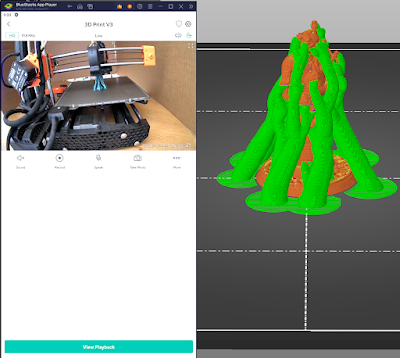
Running Android Apps on Windows with the Bluestacks Emulator

Image
Microsoft's Windows Subsystem for Android is dead but you can still run Android applications on Windows 11 with the Bluestacks Android emulator. Demonstration Here I use the Wyze Android application to watch a 3D print in progress. Software and Hardware used in this video Site:  https://www.bluestacks.com/download.html Version: Bluestacks 5 Emulator Variant: Android 11 Windows 11 Ryzen 7 5700G Note: Bluestacks does have an advertiser pane to the left of the emulator that is not shown in the video Revision History Created 2024 05

Flutter Cupertino and Material or Fuchsia APIs are different enough to require switches or wrappers for the native look and feel.

Image
Flutter lets you write once and then run anywhere with the native look and feel.  It turns out that getting the native look and feel on mobile devices means using Flutter platform-specific libraries that expose the platform differences. Users expect platform-specific behavior, especially on mobile devices. You either bury switches everywhere in your code or you wrap them. This includes a demonstration of the Material and IOS date pickers and a wrapper that hides their differences from the rest of your code.   References YouTube walkthrough Flutter device Widget wrappers - You'll be wrapping IOS, Fuchsia, and Material widgets everywhere. Code Samples  https://github.com/freemansoft/Flutter-AdaptiveCards Strategies There are really three main strategies for handling mobile device native behavior. Ignore native behavior:  Pick a single interface standard, say Material  in flutter, and force all the users to use it no matter what type of device they have....

IOIO V1 Dealing with Firmware Versions and Android, PC and Mac

Image
Last updated 4/18/2013 IOIO programs run on Android devices, PCs or other types of computers. They communicate over USB or Bluetooth to firmware programmed  into the IOIO Pic chip.   Control programs are built using an IOIOlib library that knows the communication protocol between the program machine and the IOIO board.  Both sides of this communication must agree on the protocol and payload of this communication. Each version of the IOIO firmware comes with its own library that was built for that firmware. Host programs must  be linked to an IOIO library whose major version number is less than or equal to the major version of the your device's firmware. This works because Ytai tries to make sure that firmware is backwards compatible with previous versions. Programs compiled against any version 3.yy IOIOlib should be able to communicate with any 3.xx Firmware devices. EX: Programs built against 3.23 can talk with IOIO devices running Firmware 3.26. ...