Posts

Showing posts with the label VM

VMWare Guests - The app window is blank white but the taskbar thumbnail is correct
Image
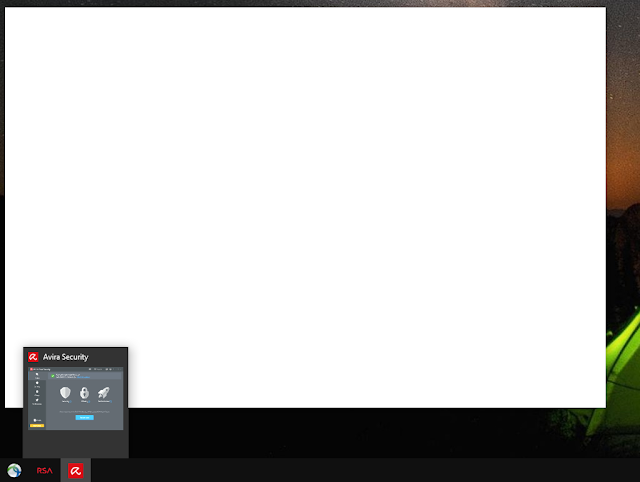
Ran into a situation recently in a Windows 10 Guest VM running in VMWare. The windows for a single program, Avira, were blank white. The weird part was that the taskbar thumbnail showed the window contents correctly. This felt like a driver error or mismatch. I have no idea which driver, host, or guest, caused the problem or when it occurred. Fix: Disable 3D Graphics Acceleration in the Guest The fix is pretty straightforward. My guest VM settings had "Accelerate 3D graphics" enabled.  Power down the Windows Guest VM. Pull up the VM settings Un-check Accelerate 3D graphcs Click OK Restart the Windows Guest VM

No hack required for Linux on Chromebooks with the Termina VM and containers or Virtualbox

Image
Chromebooks have a security model that traditional laptop OS makes are still struggling to broadly implement. Chrome OS (Chromebook) is one of the more secure platforms for web browsing and web applications restricting users to a limited set of high level APIs. Power users   and developers often belittle the system because they are unable to install and run arbitrary applications. The ChromeOS and Chromium teams have resisted unbridled execution of the Linux programs because that would weaken the security profile of Chrome based devices.  ChromeOS/Chromium  as now addressed this issue by providing secure sandboxed environments that execute Linux programs that are highly isolated from the Chrome operating system. Chromebooks, including CloudReady devices, now support isolated  Crostini  Linux containers with only a single preference setting.  Crostini Linux runs in a sandboxed Linux Container inside a Linux VM.  Programs running inside Cr...

Building a development cloud using nested virtualization.

Image
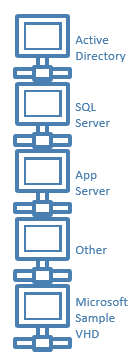
This article is not for you if you are happy developing/testing with at most two machines, your developer machine and a machine under test.  It is not for you if you do all your product evaluation, training and test can only be done in Azure or some other cloud environment that doesn't support nested virtualizaiton. This is really about building your own virtual labs or data centers to simulate larger installations or to use as training environments.  Microsoft applications or machine clusters often include Active Directory, a database and some application servers. You can some times install all this on single machines.  Multiple machines make sense if you are working on clustering or wish to leverage portions of your setup for future projects. Microsoft often provides VHDs for some of their more complicated products that save you configuration time. These machines are often more interesting when integrated into to some type of application including AD databases or...

Virtual Machine Networking: NAT or Bridged?

VMWare and other desktop or embedded hypervisors create virtual networks that the virtual machines connect to when running on the hosting software.  These virtual networks provide network connectivity from the guest machines through the host machine out to the general LAN/WAN.  There are two main modes. NAT:   The host puts the virtual machines on their own private network and acts as a network gateway for that virtual network.  Guest machines can communicate over the shared network and communicate to the WAN/Internet through the host machine.  Guest machines consume none of the physical network's address space because they are connected on the hosts "virtual network". Guest network interfaces can be configured using DHCP, provided by the host, or with fixed IP addresses to simulate a stable server environment.  Fixed IP addresses are handy when the virtual machines need to communicate with each other. VMWare typically uses the host network's VMnet8...