Posts

Showing posts with the label Browser

Deleting a specific site's cookies from Chrome

Image
Having problems with a specific website that used to work?  Does the site work when visited in incognito mode?.   Deleting the cookies for just that site  might fix the problem without removing info for other sites.  Warning:  This removes any "remember me" or persistent session state for that site. Chrome > Settings  This page is  chrome://settings Privacy and security > Third-Party Cookies This page is  chrome://settings/privacy See all the site data and permissions This page is  chrome://settings/cookies Delete the Cookies for an individual site. This page is chrome://settings/content/all 1. Find the problem site by scrolling or searching by domain name Ex: foocompany.com 2. Delete that site's cookies by pressing on the trash can.  Do not hit Delete all data Fini Retest the web site for which you deleted the cookies. Revision History Created 2024/11
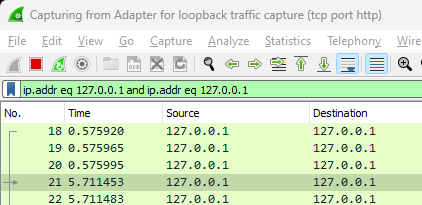
Browsers open extra connections in anticipation of additional requests

Image
Browsers can open extra connections or pre-stage open connections to improve the user experience.  You can see this if you build your own web server for IoT devices or monitor the connections and not just the requests.  These pre-staged connections do not show up in the browser developer tools. I was troubleshooting a connection timeout issue in a Python-based web server where there were sometimes suspicious connections that timed out.  All my testing was done via a browser rather than Postman so I decided to investigate if it was a browser issue or a problem with my service.  The developer tools console in Chrome did not  show the extra connection in the network traces. The Python web server generating the logs has a 10-second connection timeout. A single browser action appears to generate two inbound connection requests but only one HTTP request. The 2nd inbound connection appears to be timing out if the user doesn't click on or initiate any additional browser...

Hints on installing a qt webkit browser on the Chumby/Infocast

This Chumby Forum posting describes how to install a webkit browser on a Silvermoon/Infocast 8" device and on the Falconwing/ChumbyOne device.  Silvermoom Infocast 8" Setup   Download the pre-built browser usb image that is designed to run on a usb thumb drive (/mnt/usb).  Unpack the image to the root directory of the thumb drive.  Stick the thumb drive into the device and restart the device.  It should come up with the web browser on the www.chumby.com page.  This relies on the fact that the Chumby system will run  the debugchumby in the root of any thumb drive that is inserted into a usb port.  The debugchumby script can be customized with an editor to drive the web browser to any url that you wish. The system also supports a USB keyboard for URL entry if you are running the browser version with the URL bar. Webkit browser components can be built to operate in various ways.  The one from the package above runs as a window. The actu...